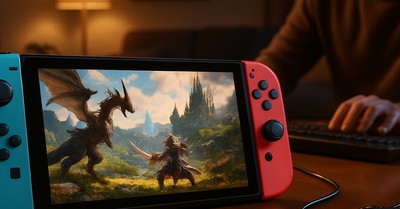
Final Fantasy XIV's (FFXIV) upcoming compatibility with Steam Deck in 2026 marks a significant milestone for fans of the beloved MMORPG, promising unparalleled portability. As players prepare to embark on their adventures in Eorzea in a whole new way, we've compiled a comprehensive guide on how to play with a standalone license, optimized settings for the Steam Deck, and additional insights to enhance your mobile gaming experience.
The ability to play FFXIV on Steam Deck is a game-changer for its community, offering the freedom to play anywhere without sacrificing the depth of the gaming experience. Whether you're a seasoned veteran or a new recruit to the world of Eorzea, this guide ensures you make the most out of this new platform.
Activating Your Standalone License on Steam Deck
To play Final Fantasy XIV on your Steam Deck with a standalone license, follow these steps:
- Ensure Compatibility: Verify that FFXIV is listed as compatible with Steam Deck on the Steam Store page before purchasing or attempting to play.
- License Activation: If you've purchased FFXIV outside of Steam, activate your license through the Square Enix account portal, then link it to your Steam account.
- Steam Deck Setup: Download FFXIV through Steam on your PC, then sync your Steam library with your Steam Deck to access the game remotely or download it directly onto the device.
Activating your license correctly is crucial for a seamless transition to playing on the Steam Deck. Ensure all steps are followed precisely to avoid any account or access issues.
Recommended Settings for Steam Deck
To achieve the best balance between performance and visuals on Steam Deck, consider the following settings:
| Setting | Recommendation |
|---|---|
| Resolution | Auto (allows Steam Deck to optimize based on its 1280x800 screen) |
| Graphics Quality | Medium to High (depending on your preference for detail vs. frame rate) |
| Frame Rate Cap | 60 FPS (to ensure smooth gameplay and battery life) |
| Shadow Quality & Anti-Aliasing | Lower settings for better performance |
Experimenting with these settings will help you find the perfect balance for your playstyle, whether you prioritize graphics or a smoother experience.
Tips for Playing FFXIV on Steam Deck
- Control Scheme: FFXIV supports custom control layouts. Experiment to find a setup that works best for the Steam Deck's touchscreen and controls.
- Battery Life: With the frame rate capped at 60 FPS and medium graphics, you can expect around 4-6 hours of gameplay on a single charge, depending on the Steam Deck model.
- Online Play: Ensure a stable internet connection for seamless multiplayer experience. Public Wi-Fi might not always provide the best results; consider a mobile hotspot for more reliability.
Community and Future Updates
The Steam Deck community is eagerly awaiting the arrival of FFXIV, with discussions already sparking about optimized control schemes and portable gaming strategies. Square Enix has promised to monitor feedback closely, hinting at potential future updates tailored for the Steam Deck experience.
"We're thrilled to bring the world of Eorzea to the Steam Deck," said a Square Enix spokesperson. "Player feedback will be invaluable in shaping the future of FFXIV on this innovative platform."
Square Enix Spokesperson