
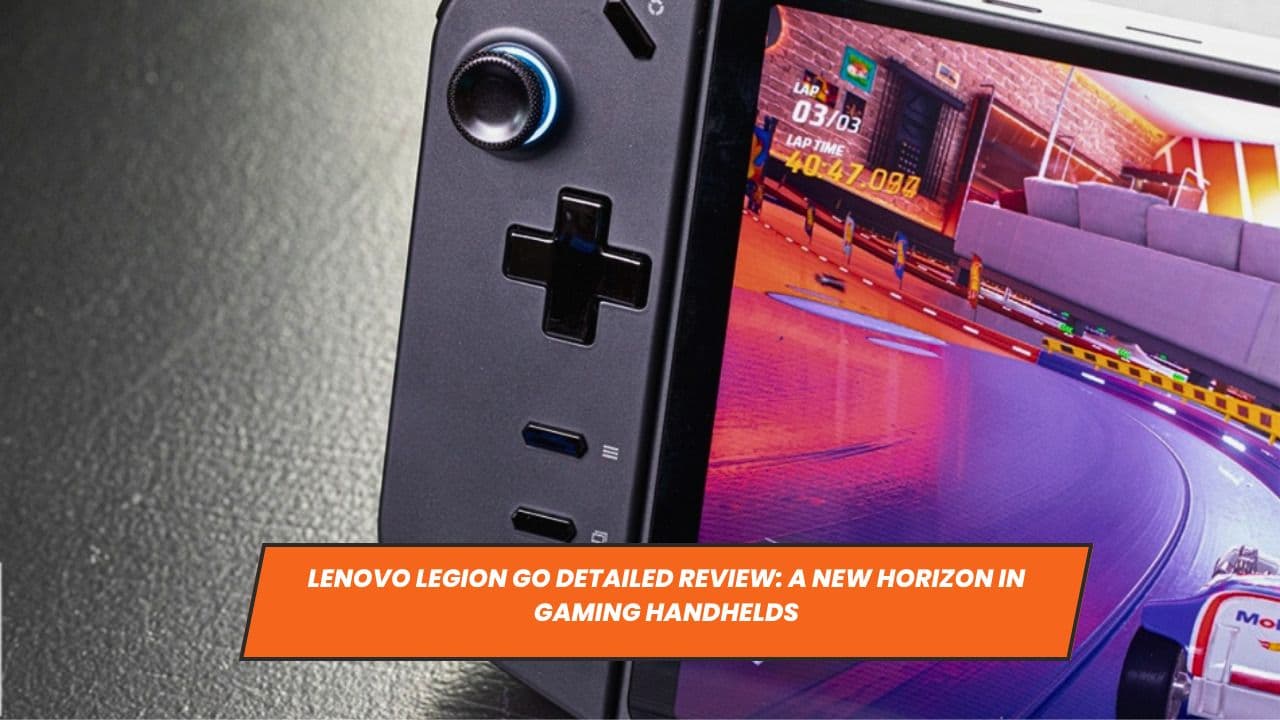
The Lenovo Legion Go adheres to a function over form philosophy, embodying a utilitarian aesthetic that prioritizes performance over superficial embellishments. The device sports a metal back complemented by an adjustable-angle fold-out kickstand. The build quality is evident with the usage of premium plastics throughout the construction, giving it a sturdy and robust feel.
An intriguing feature is the RGB lighting that encircles the thumbsticks, offering customizable brightness and color settings, which can be manipulated using the Lenovo Space software. The device showcases a promising degree of repairability, characterized by a back plate secured with standard crosshead screws, allowing for easy maintenance and potential upgrades. Accompanying the device is a semi-rigid zip-up case, equipped to house the mouse converter holder and facilitate charging while the device remains encased.
Lenovo Legion Go Controls
The detachable controls of the Legion Go stand as one of its marquee features. Mimicking the functionality seen in the Nintendo Switch, the controls can be unclipped from the device, enabling wireless operation and offering a greater range of movement and flexibility during gaming sessions. This feature proves to be a valuable addition, especially when engaging in two-player games or seeking a more comfortable angle during solo gaming.
The control layout is comprehensive, with a variety of buttons, thumbsticks, and other functionalities distributed across the left and right controllers. These elements harmoniously accommodate different hand sizes, offering a balanced and comfortable gaming experience. Notably, the right controller can be transformed into a mouse, providing an innovative approach to FPS gaming, despite some limitations in achieving precise movements.
Lenovo Legion Go Screen
The Legion Go flaunts a sizable 8.8-inch screen, a noticeable enhancement over its contemporaries, the Asus ROG Ally and the Steam Deck. This increase in size contributes to a more immersive gaming experience. However, the device's higher resolution does not always translate to a noticeable improvement in visual fidelity, with Lenovo potentially having the option to employ a lower resolution without compromising the user experience.
The 144Hz refresh rate of the panel, a step up from the ROG Ally, contributes to a smoother gaming and browsing experience, especially when compared to the 60Hz offering of the Steam Deck. The nanoIPS miniLED panel delivers vibrant colors and excellent contrast ratios, elevating the visual quality and supporting HDR-like color vividness, adhering to DisplayHDR 600 standards.
Lenovo Legion Go Ports and IO
Being an x86_64 Windows 11 device, the Legion Go maintains compatibility with a range of peripherals typically supported by Windows machines. The inclusion of USB 4 and Thunderbolt 3-certified USB-C ports facilitate various functionalities including charging, video output, and connecting external devices like gaming mice, headsets, and keyboards. Additionally, it supports expansion of storage up to 2TB through a microSD slot, alongside Bluetooth and WiFi capabilities, ensuring a versatile and connected gaming experience.
Lenovo Legion Go Gaming Performance
Despite certain limitations during testing, including a non-functional right controller, the Legion Go demonstrated a commendable gaming performance. The device managed to achieve 66fps running at a resolution of 2,560 x 1,600 with high in-game settings during a Rocket League test. This performance indicates a promising gaming capability, with the potential to deliver smooth and immersive gaming experiences, especially when utilizing technologies like FSR and FSR 3 frame generation to enhance frame rates.

Lenovo Legion Go Cooling and Noise
The cooling system of the Legion Go is characterized by a main blower-type fan that manages heat dissipation efficiently. During testing, the device maintained a warm but not alarming temperature, indicating effective cooling mechanisms in place. Users have the option to manually adjust the thermal levels through the Lenovo software, offering a tailored gaming experience that balances performance and thermal efficiency.
Lenovo Legion Go Battery Life
While a comprehensive evaluation of the battery life remains pending, initial impressions indicate a resilient battery performance. The device's 49.2Whr battery theoretically holds the potential to outlast its competitors, offering an estimated usage span of around two hours for gaming and up to eight hours for other functionalities like browsing and media consumption.
Lenovo Space Software
Lenovo's proprietary software, the Lenovo Space, serves as a central hub to adjust various device settings, including RGB lighting customization, thermal settings, and power modes. It offers a user-friendly interface that allows for a seamless transition between various functionalities, offering users the flexibility to tweak settings according to individual preferences.
Conclusion
In conclusion, the Lenovo Legion Go represents a substantial step forward in handheld gaming technology. Its well-thought-out design, enhanced screen specifications, and versatile controls combine to create a device that promises to redefine the boundaries of handheld gaming. Despite facing stiff competition from established players in the market, it holds the potential to carve out a significant segment of the market share, given its innovative features and promising performance indicators. Future users can look forward to a comprehensive gaming experience defined by innovation and efficiency.


