
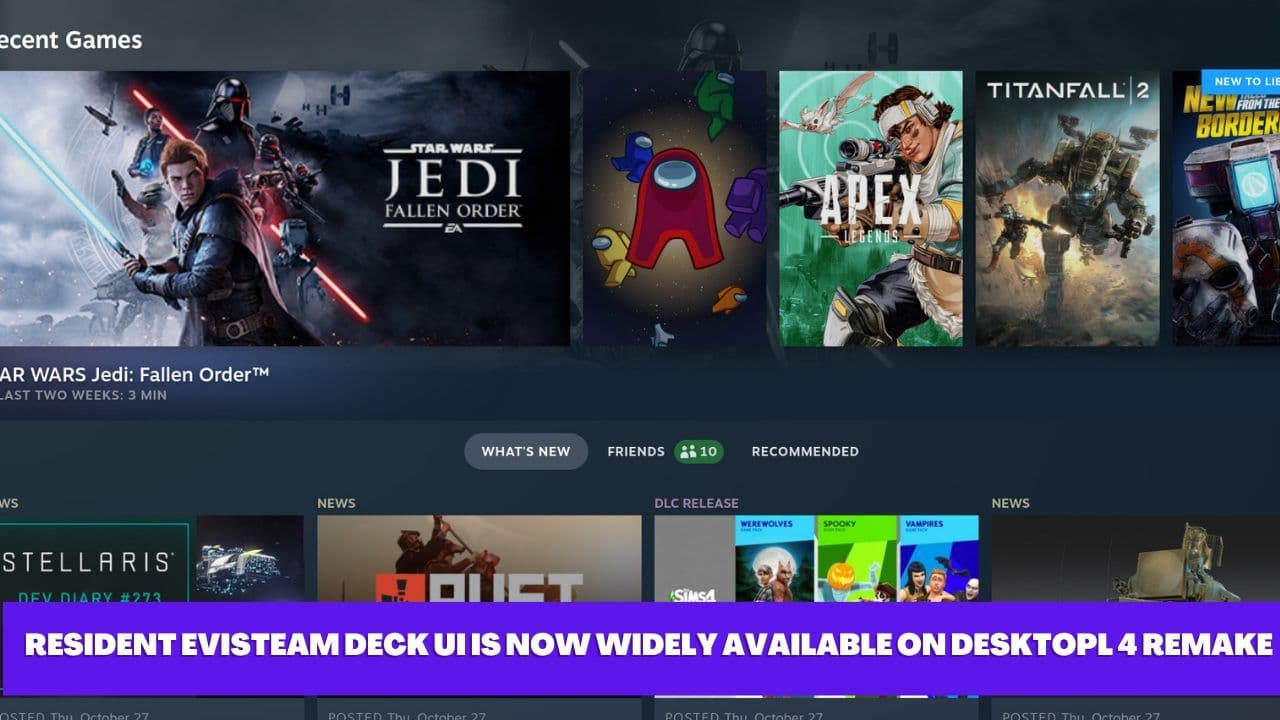
Valve, the renowned gaming company, has been a leading force in the gaming industry for decades, and with their recent release of the Steam Deck handheld console, they have yet again revolutionized the way we play games. The Steam Deck UI, which was exclusively available on the handheld console, is now widely available on desktop. This news has left the gaming community buzzing with excitement and anticipation.
In this article, we'll take an in-depth look at what the Steam Deck UI is, its features, and how you can set it up on your PC. We'll also explore the benefits of using the Steam Deck UI and why it's a game-changer for desktop gaming.
What is Steam Deck UI?
Steam Deck UI is a new user interface designed specifically for the Steam Deck handheld console. It offers a streamlined and intuitive interface that makes navigating and accessing games on the handheld console easier and more efficient.
The UI is designed to provide an immersive gaming experience, with a focus on making the most popular features of Steam easily accessible. It offers a customizable home screen, improved search functionality, and an enhanced library view.
The Steam Deck UI is now available on desktop, and users can experience the same features and benefits on their PC. This means that you can enjoy the same immersive gaming experience you would get on the Steam Deck handheld console, but on a larger screen and with the added benefits of PC gaming.
Features of Steam Deck UI
The Steam Deck UI is packed with features that make navigating and accessing games easier and more efficient. Here are some of the key features of the Steam Deck UI:
Customizable Home Screen
The home screen of the Steam Deck UI is fully customizable, allowing users to add or remove games, apps, and other features. This makes it easy to access your favorite games and features quickly and efficiently.
Improved Search Functionality
The search functionality of the Steam Deck UI has been improved, making it easier to find games and content. The search bar is prominently displayed on the home screen, and users can easily search for games by title, genre, or developer.
Enhanced Library View
The library view on the Steam Deck UI has been enhanced to make it easier to find and access games. Users can sort their games by various criteria, including recently played, installed, and genre. This makes it easy to find the game you want to play quickly.
Big Picture Mode
The Steam Deck UI includes a Big Picture mode, which provides an immersive and controller-friendly interface for playing games on your PC. This mode is ideal for gamers who prefer to play games from the comfort of their couch or on a TV.
Controller Support
The Steam Deck UI is optimized for use with a controller, making it easy to navigate and play games using a controller. This makes it ideal for gamers who prefer to play games with a controller rather than a keyboard and mouse.
Benefits of Using Steam Deck UI on Desktop
The Steam Deck UI offers several benefits when used on a desktop. Here are some of the key benefits of using the Steam Deck UI on your PC. The Steam Deck UI offers a streamlined and intuitive user interface that makes navigating and accessing games on your PC easier and more efficient.


